Reconfiguring Load Balancer Instance
Reconfigure a load balancer instance to change its compute configuration when your workload requirements change. Updating the compute pack allows you to allocate resources that better match your application's performance and capacity needs.
To reconfigure the load balancer instance, follow these steps:
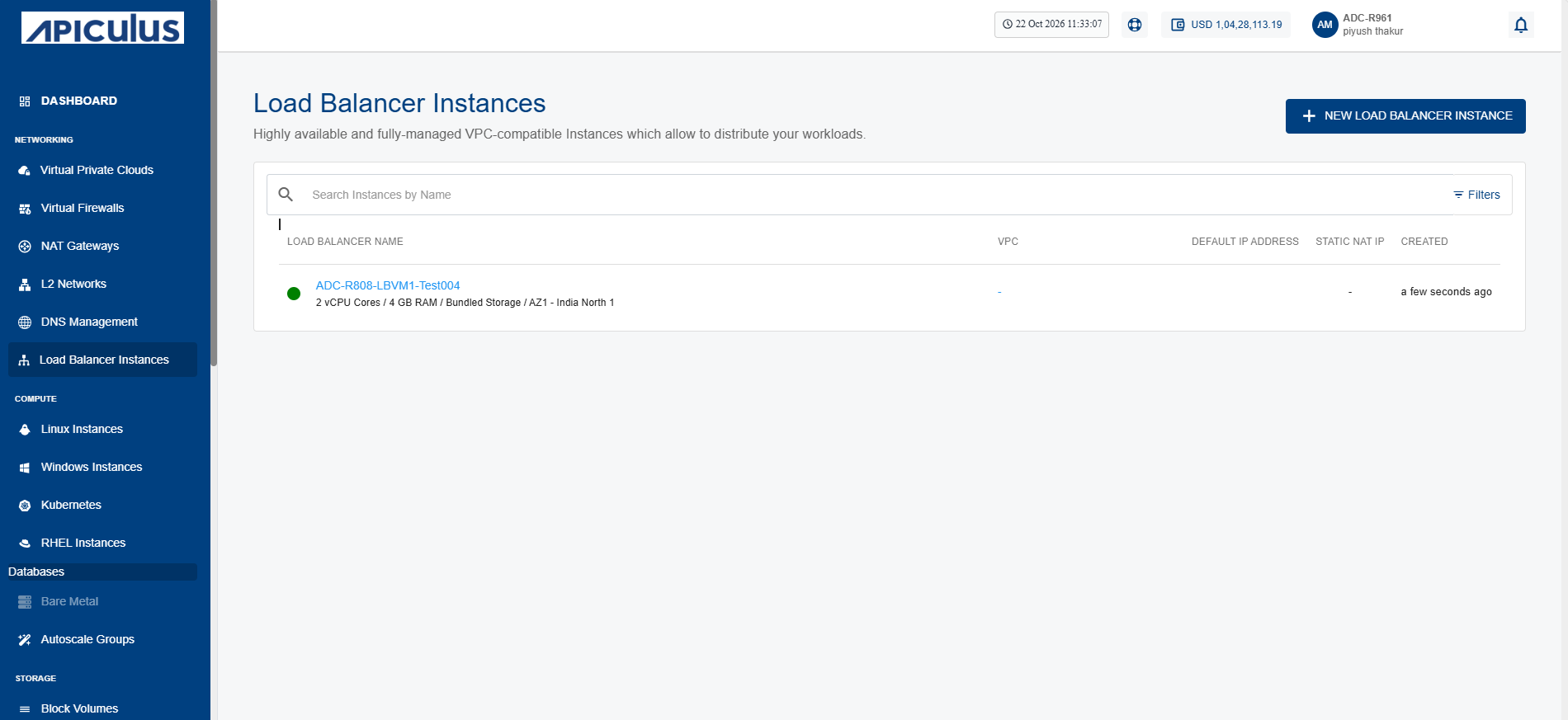
- Navigate to Networking > Load Balancer Instances. The following screen appears:
- Click on your created load balancer instance name from the list, and click Reconfigure.
- Click the Stop Instance button. The following screen appears:
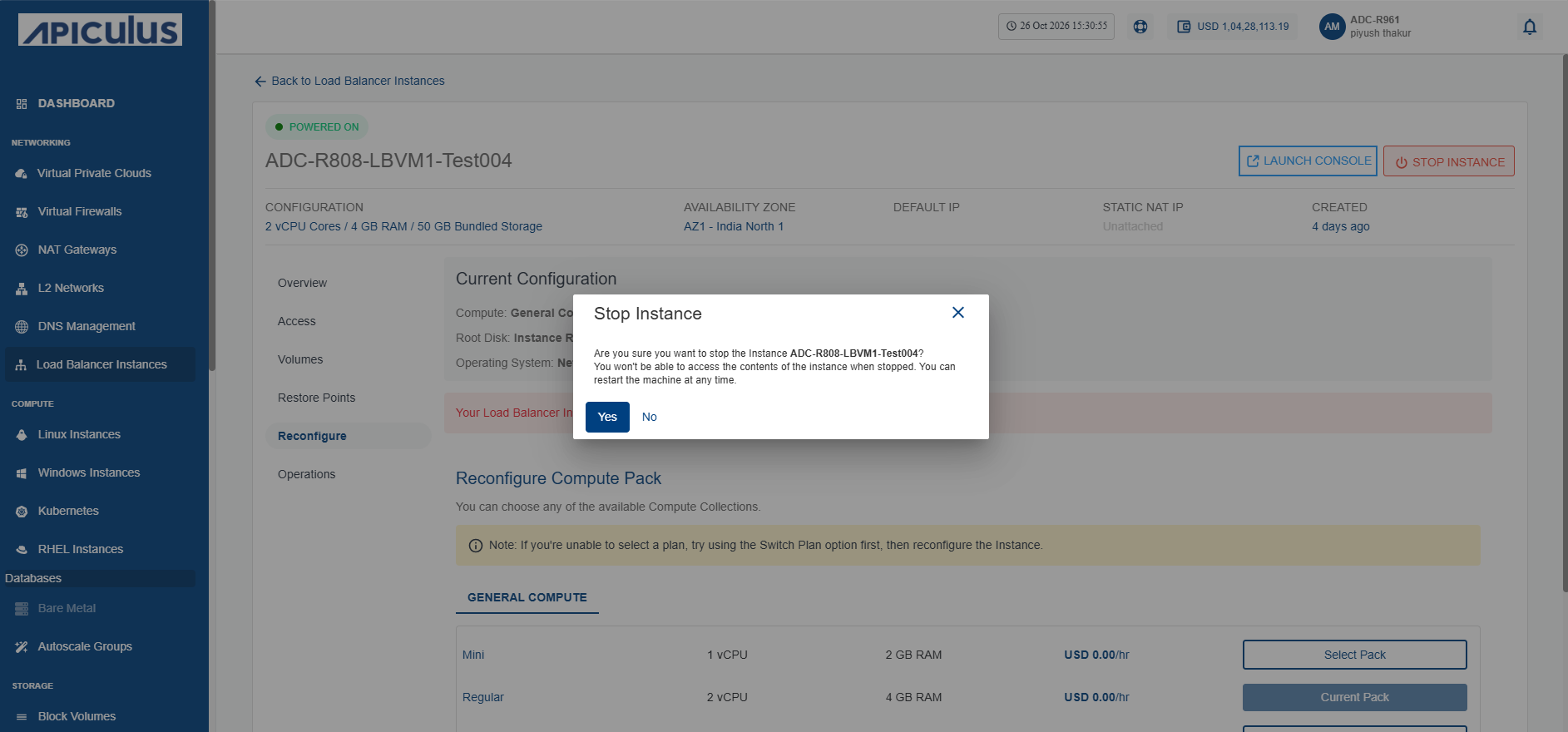
- Click the Yes button. The following screen appears:
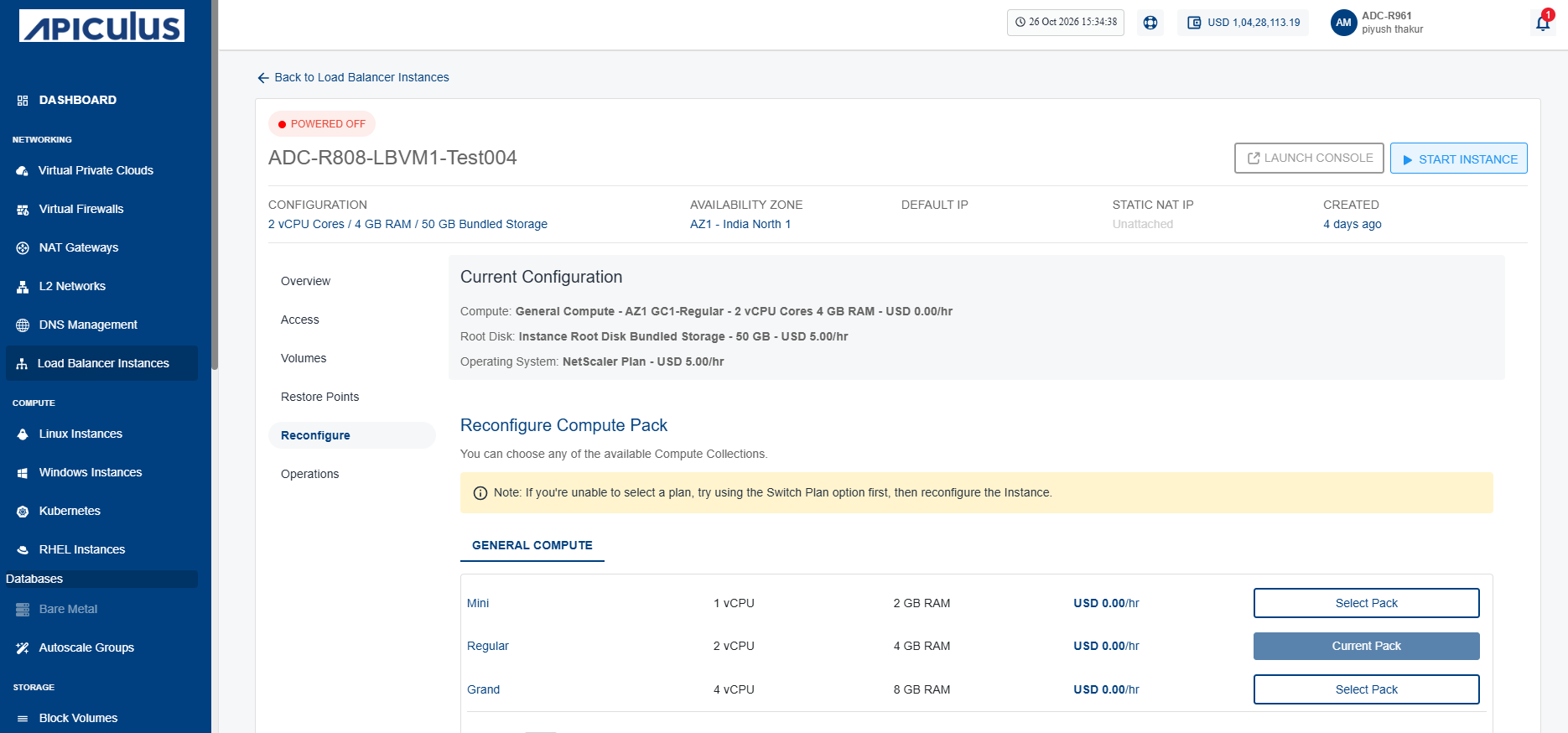
- Select a Compute Pack from the list, and click the Reconfigure Compute Pack button. The following screen appears:
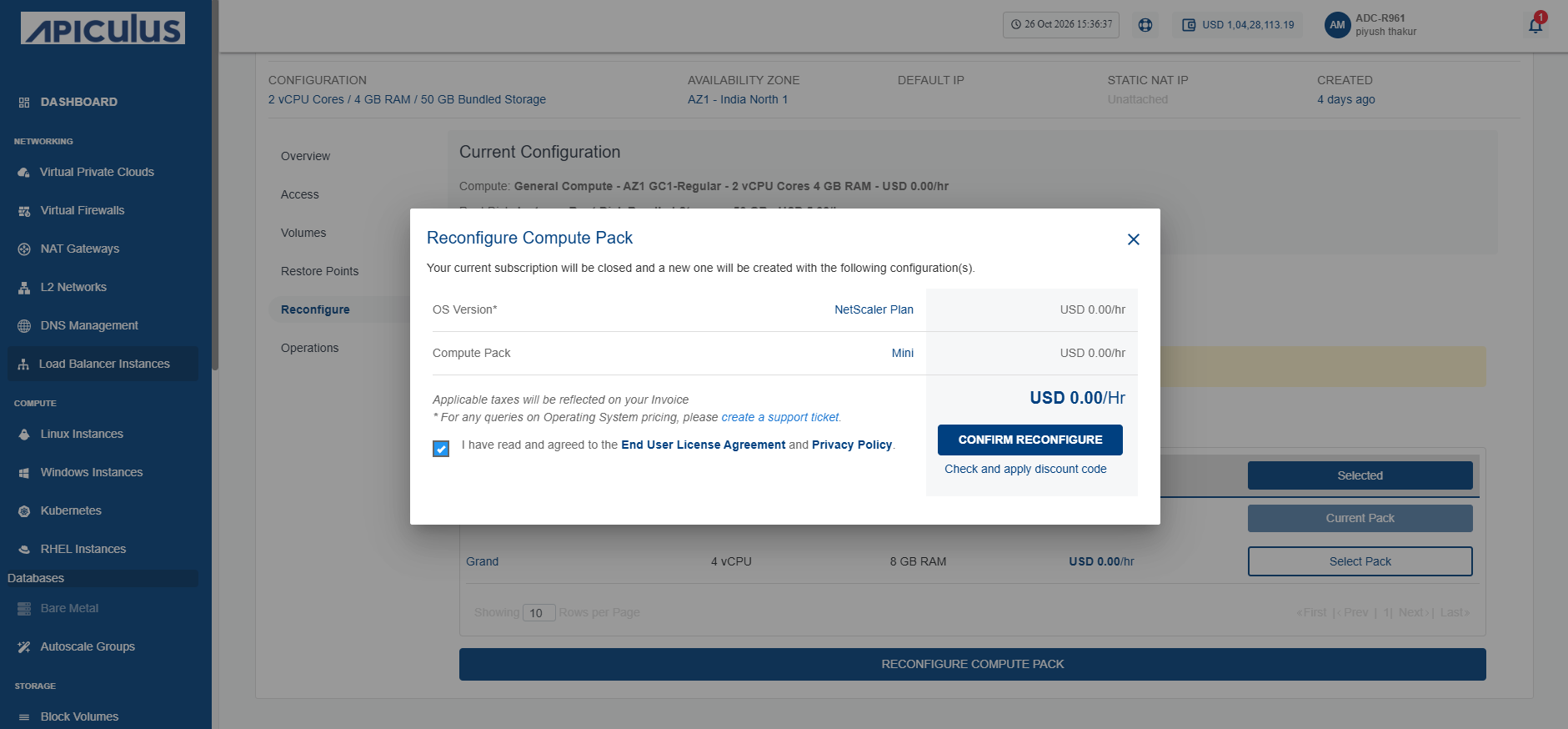
- Select the I have read and agreed to the Yntraa Cloud Terms and Conditions and Privacy Policy option, and click the Confirm Reconfigure button.