Managing L2 Operations
Managing an L2 network allows you to maintain its availability and lifecycle. Manage an L2 network to perform actions such as restarting the network to restore connectivity and deleting unused networks to free resources and keep your network environment organised.
This section comprises of the following sub-sections:
Restarting an L2 Network
Restarting an L2 network refreshes the L2 network to restore its operational state and apply pending changes, if required. Restart an L2 network to resolve temporary connectivity issues and ensure reliable communication between connected resources.
To restart an L2 network, follow these steps:
- Navigate to Networking > L2 Networks. The following screen appears:
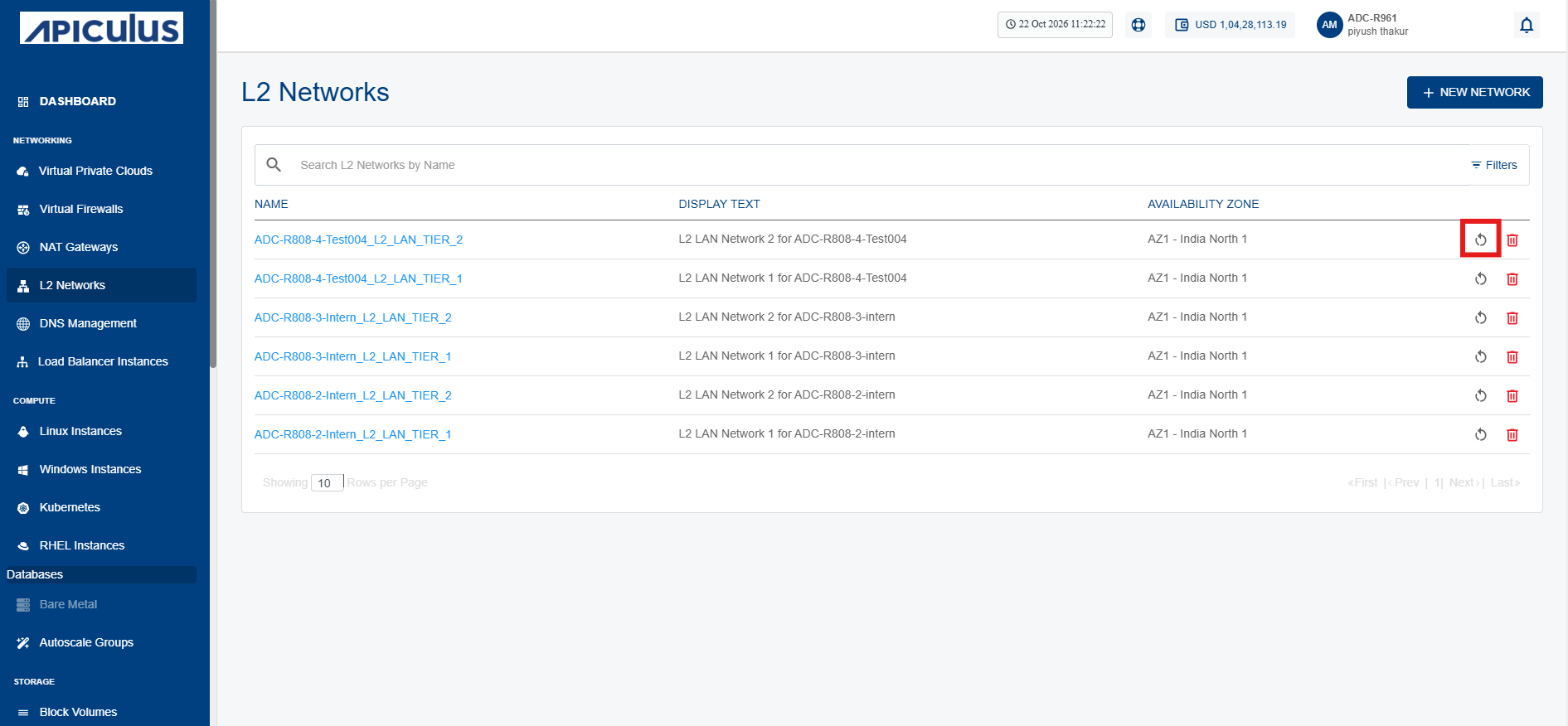
- Click the Restart Network icon (highlighted in red) for the required L2 network. The following screen appears:
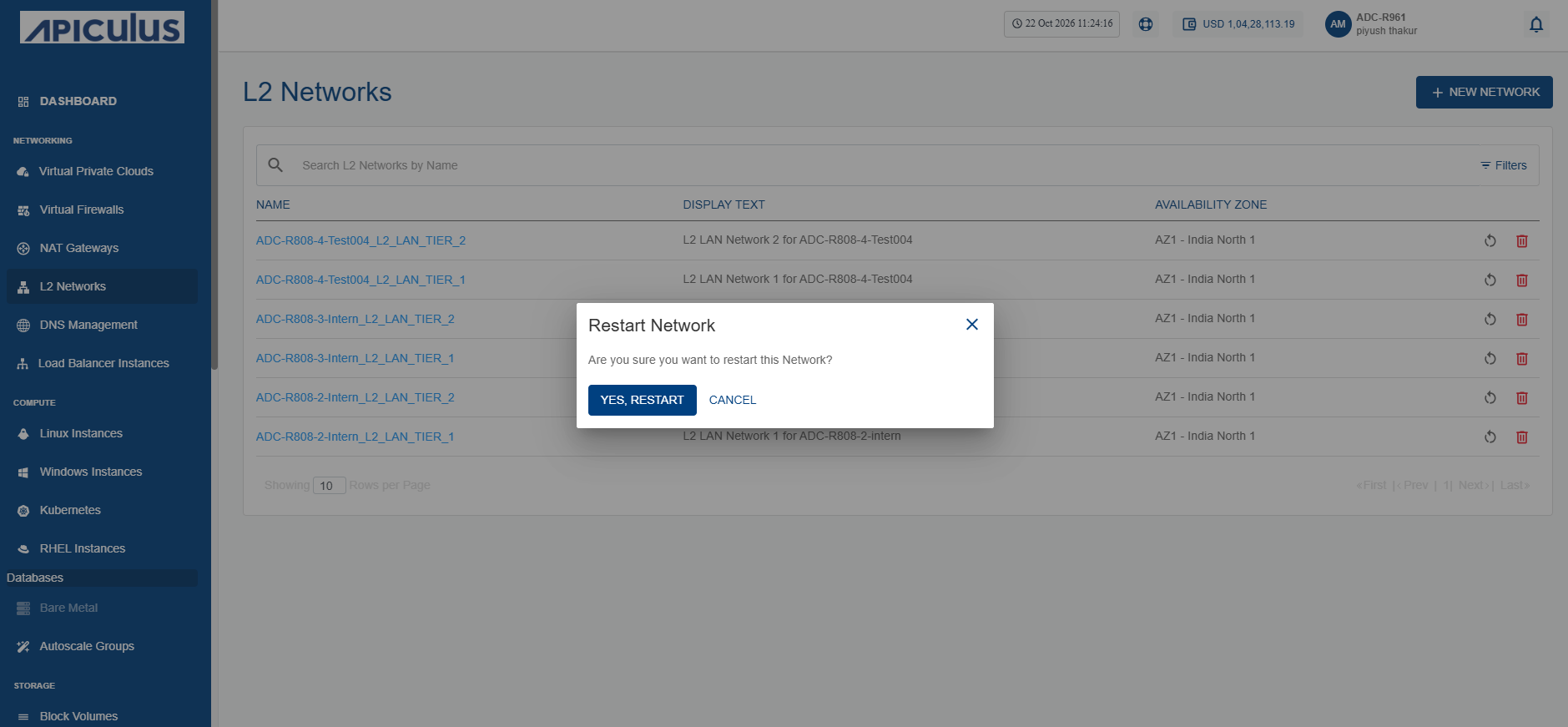
- Click the Yes, Restart button.
Deleting an L2 Network
Deleting an L2 network permanently removes an unused Layer 2 network from your environment. Delete an L2 network to free resources, simplify network management, and remove networks that are no longer required.
This action is irreversible and permanently deletes the L2 network. You will not be able to recover the L2 network or its associated configuration after deletion.
To delete an L2 network, follow these steps:
- Navigate to Networking > L2 Networks. The following screen appears:
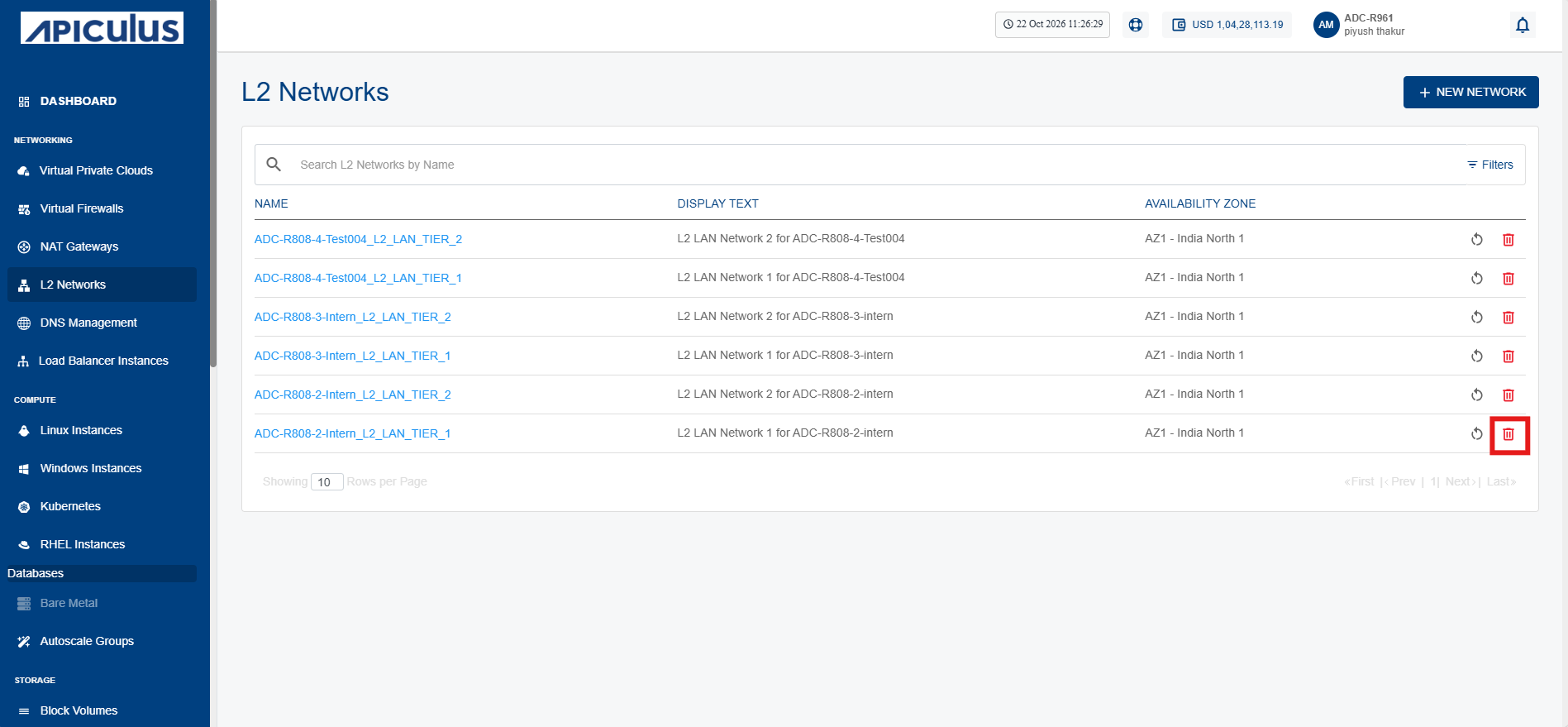
- Click the Delete Network icon (highlighted in red) for the required L2 network. The following screen appears:
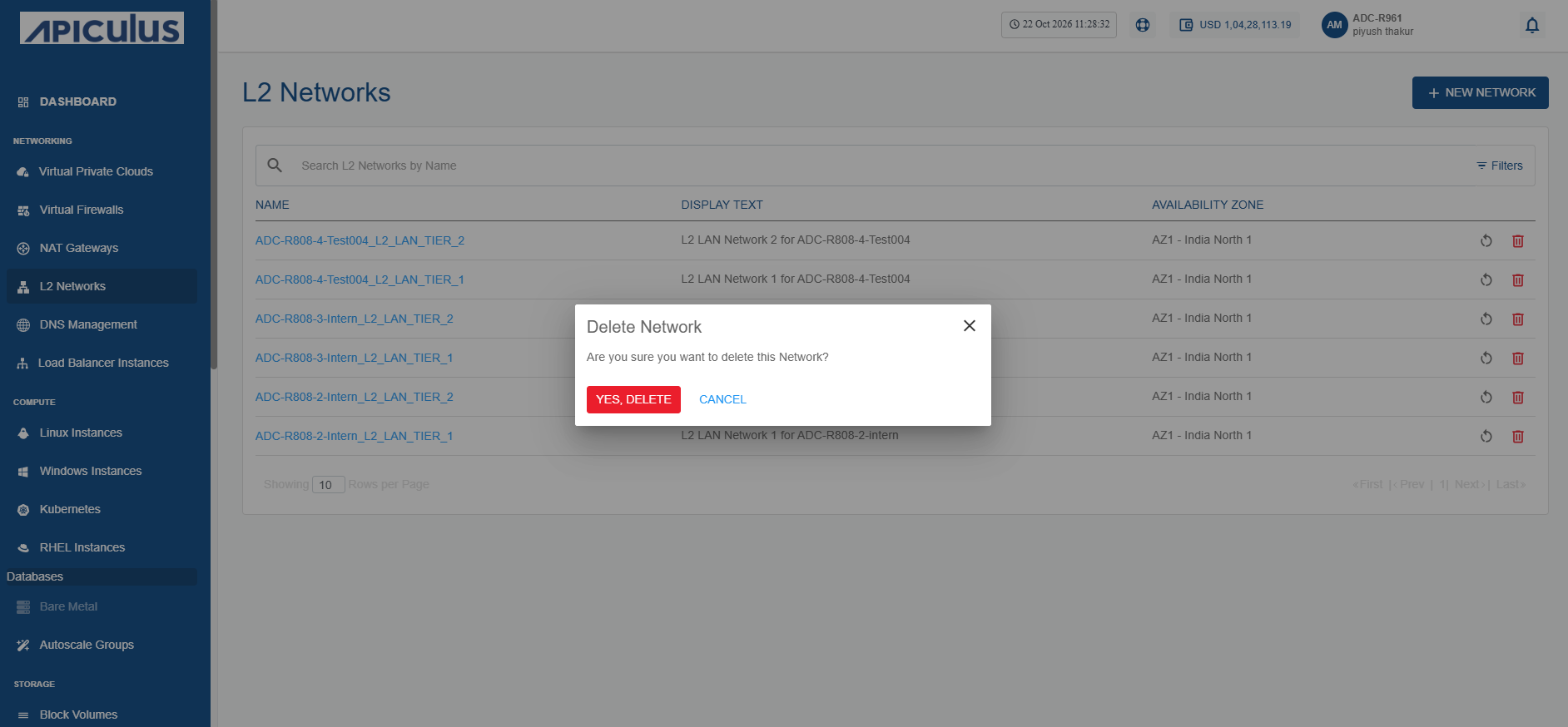
- Click the Yes, Delete button.